
Traffic Court Records in Panola County
Traffic tickets in Panola travel one of three routes. Justice of the Peace Precincts 1 and 4 share a portal and office. Precincts 2 and 3 share a different one. Carthage Municipal Court handles city Class C misdemeanors, parking, traffic, state-code, and ordinance cases, and Tatum Municipal Court keeps its own. Always let the issuing court on the citation, not where the driver lives, pick your first search route.
Some traffic matters do reach the Panola county court system. An occupational driver's license petition or a county criminal case may show up through Odyssey Public Access, tied to the County Court at Law or District Clerk. A JP or municipal ticket will not appear there, though. Start with the name printed on the citation.
Three Panola Traffic Record Routes
The Panola County Justice of the Peace page posts links to both paired-court portals plus the court forms.
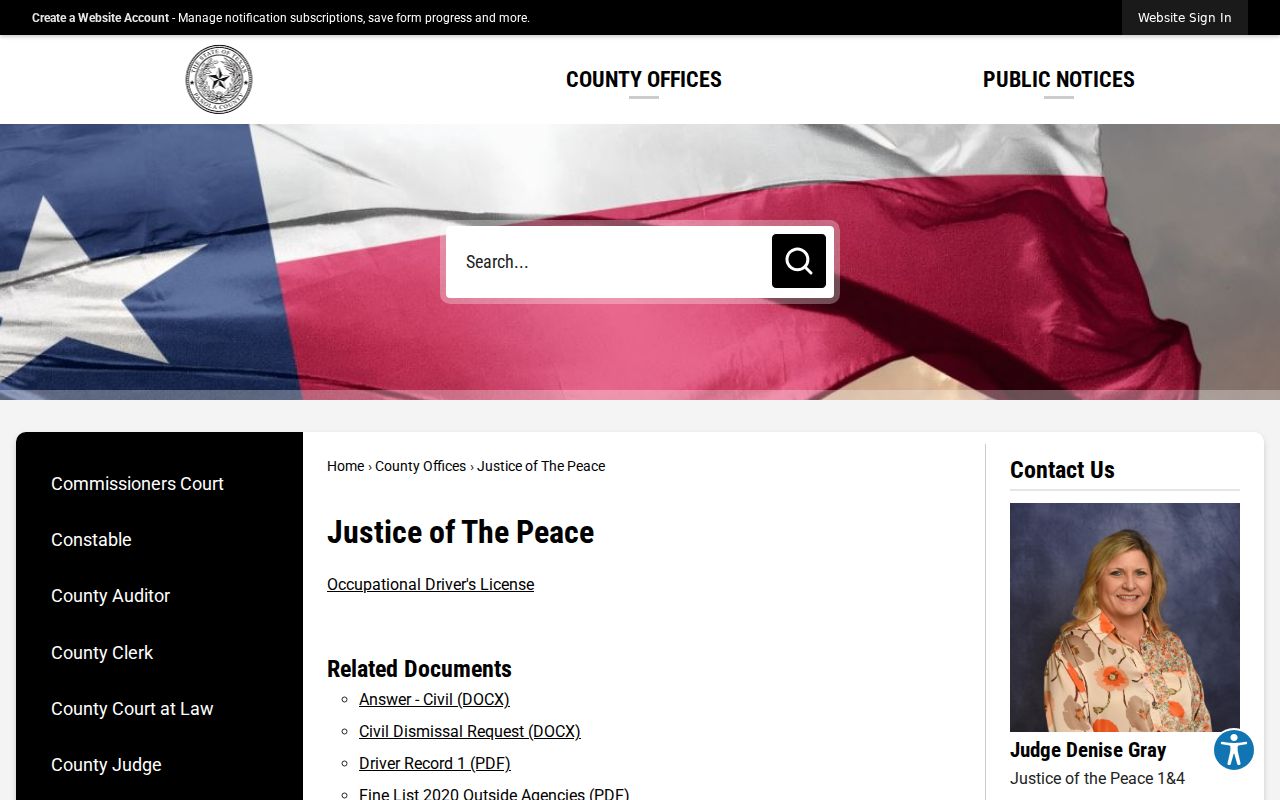
Citations assigned to JP 1&4 go through that pair's portal; JP 2&3 citations go through theirs. A Carthage ticket belongs to Carthage Municipal Court. A Tatum ticket belongs to Tatum Municipal Court. Beckville and Gary City post no public municipal portal, so call the city clerk or city hall, and double-check the court through the state judicial directory.
| Issuing Court | First Record Channel | Direct Contact |
|---|---|---|
| JP 1&4 | Paired JP ticket portal | 903-693-0375, Room 105 |
| JP 2&3 | Paired JP ticket portal | 903-693-0377, Room 103 |
| Carthage Municipal | City court page or payment portal | 903-693-5032 |
| Tatum Municipal | Municipal clerk | 903-803-3580 |
How to Look Up a Traffic Ticket
Each JP system lets you search by name. You can also use date of birth or a citation number. The ticket number works best. It narrows the match to one case. Remember the portals double as payment tools. Check the court identity and citation details before you act. Turn to re:SearchTX or Panola Odyssey only if the case has moved into the county court system already.
- Read the citation and identify the issuing JP, municipal court, or county-level court.
- For a JP ticket, open that court pair’s portal and search by citation number.
- If the ticket is not in hand, use the name and date-of-birth search fields.
- For Carthage or Tatum, use the municipal court’s official route instead of Panola Odyssey.
- If no match appears, call or visit the issuing court and ask whether the ticket has posted.
- For a district-held order, contact the District Clerk by phone, email, mail, or counter.
Jot down the court, the response or appearance date, the current status, and any case identifier. If a setting changed, confirm it with the clerk.
Panola JP Traffic Search Fields
The official JP 1&4 portal shows the local name and citation search route.
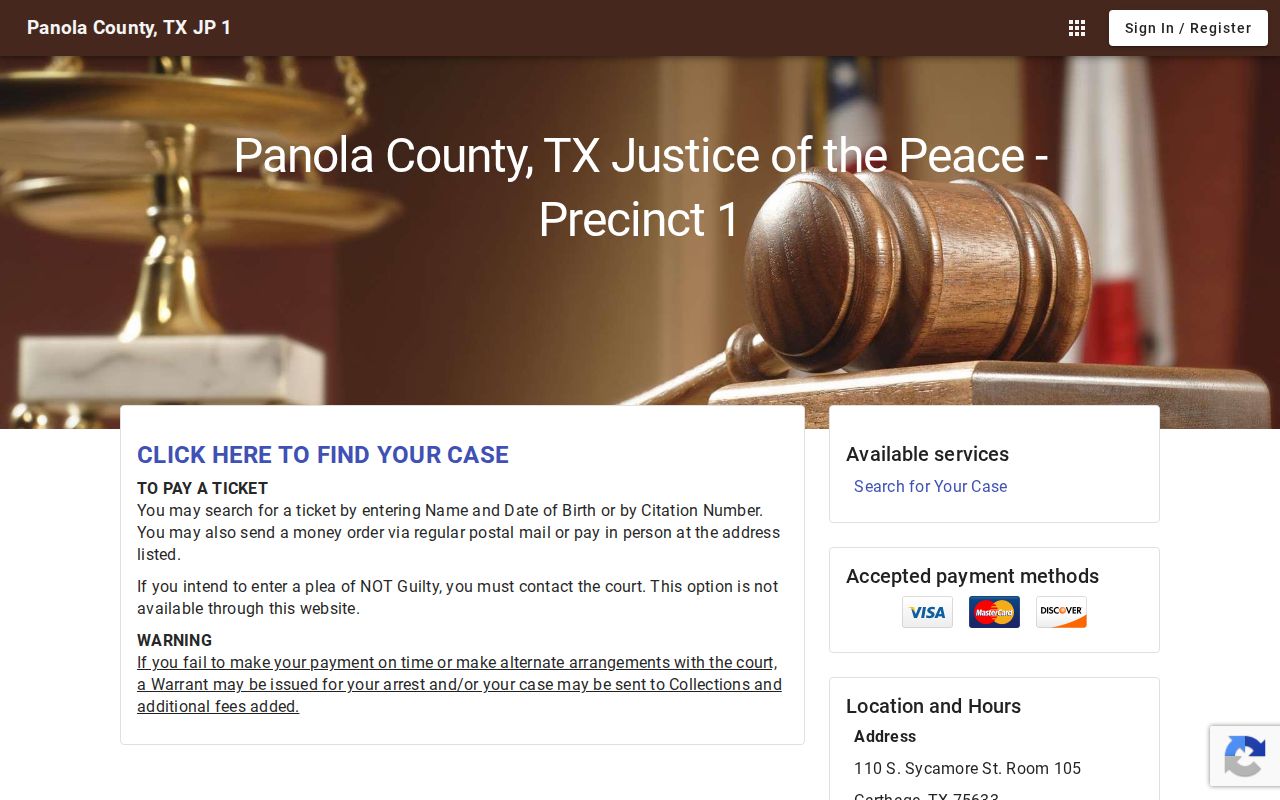
This is a lookup and payment screen, not a full document archive. Results can orient you to your own case. For a judgment, signed order, plea form, or certified record, request it from the court.
| Search Field | Type | Use |
|---|---|---|
| Name | Text | Pair with the date of birth when the citation number is unavailable. |
| Date of Birth | Date | Helps distinguish similar names. |
| Citation Number | Identifier | Direct search using the number printed on the ticket. |
| Court Portal | Route choice | Select JP 1&4 or JP 2&3 based on the citation. |
JP 2&3 uses a separate official interface.
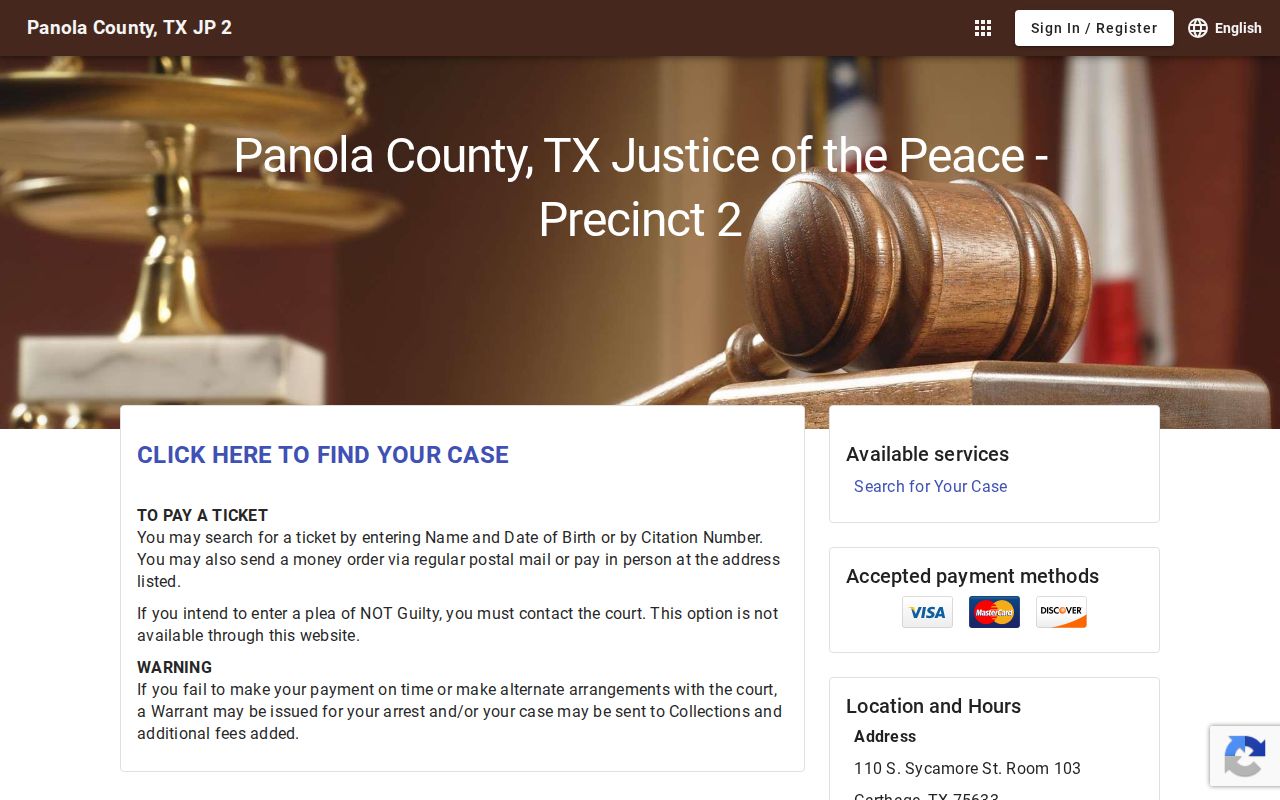
The split matters: searching the wrong paired portal can return nothing even when the citation is live.
Finding Your Traffic Court Date
The citation shows a response or appearance date. The court record may list a later setting, reset, or disposition. Check both sources. Carthage usually holds court at 8:30 a.m. on the last Tuesday of each month. November and December follow a different pattern, though. Dates can shift, and the city posts any changes. For the current setting, the clerk is the best source.
| Citation Number | Carthage tickets before January 1, 2026 use a PD123456 style prefix; later tickets use 123456. |
|---|---|
| Court | The JP pair or municipal court named on the citation. |
| Date and Time | The current response date or court setting, which may differ from a later reset. |
| Location | The issuing court’s counter or courtroom; confirm before travel. |
| Status | Pending, paid, disposed, or another court-entered status. |
For a county-level setting, Odyssey's Court Calendar searches by case, attorney, judicial officer, or party and defendant name. A portal result is only a snapshot. If a same-day change is possible, call the coordinator or clerk.
Panola Traffic Citation Format Change
Carthage's date-sensitive identifier rule deserves extra care. For a citation issued before January 1, 2026, type PD before the printed number. On or after that date, enter the number alone. A failed search may just mean wrong format, not a dismissed or missing case.
Quick check: Match the issue date to the citation format before calling. If neither format returns the ticket, contact Carthage Municipal Court at 903-693-5032.
Here is a wrinkle worth catching. The city court page lists 453 W Sabine. Its official payment portal lists 453 S Sabine instead. Since those directions clash, confirm the street address by phone before you drive over. Office hours are 8:00 a.m. to 4:00 p.m., Monday through Friday.
Paying or Contesting a Ticket
Paying a fine and entering a not-guilty plea are separate court actions. The JP portal accepts Visa, Mastercard, and Discover. A money order can be mailed or paid in person. The portal itself warns that a not-guilty plea cannot be made online, so contact the court and let the clerk walk you through the proper plea and setting process. The JP pages also link defensive-driving requests, plea sheets, community-service forms, and inability-to-afford-costs forms.
| Paying the Citation | Contesting the Citation |
|---|---|
| Uses the issuing court’s approved online, mail, or counter method. | Requires contact with the issuing court; the JP portal does not accept the plea online. |
| The payment and resulting court action become part of the case record. | The clerk records the plea and provides a trial or hearing setting. |
| Confirm the amount and response deadline before paying. | Submit the plea by the stated response deadline and retain proof. |
Missed response or payment: The JP portals warn that failure to pay or arrange payment can lead to a warrant or collections and added fees. Contact the issuing court directly before assuming an online balance resolves every court requirement.
Panola Traffic Pleas Need Contact
The most common mistake is treating every portal button as a full court service. An online payment screen can find a ticket and take approved funds. It cannot accept a JP not-guilty plea. Nor does it promise a signed judgment, a detailed docket, or every form. The justice court offers those separately.
Want defensive driving, community service, or an inability-to-pay procedure? Use the official JP forms, and ask the court about current eligibility and deadlines. A form's existence does not mean a request will be granted. For an occupational driver's license petition or order, the Panola County Court at Law page carries local forms. If you need a copy, request the court file by cause number.
Note: File any court request before its deadline. Keep the clerk's confirmation or file-stamped copy.
Court Traffic Record vs Driver Record
Two offices, two files. Local offices keep the court traffic record. That means the justice of the peace, municipal court, or county clerk that took the case. The Texas Department of Public Safety keeps a separate driver file for the whole state. Each answers a different question. The court docket shows the charge and the settings. It also lists the plea or ruling, plus any judgment or payment on file. The DPS file only holds what was reported to that state agency.
| Feature | Court Traffic Record | Driver Record |
|---|---|---|
| Custodian | Issuing JP, municipal clerk, or county court clerk | Texas Department of Public Safety |
| Shows | Citation, plea, settings, docket events, disposition, judgment | State-maintained driving history data |
| Request route | Court portal, phone, counter, or written copy request | DPS driver-record request channel |
Resolve the citation through the court record itself. A DPS file cannot substitute for a signed court judgment. And a payment search that comes back empty tells you nothing about what the state file holds.
Reconcile Tatum Traffic Court Records
Tatum Municipal Court sits at 680 Crystal Farms Rd., Tatum, TX 75691. Judge Bonnie Miller presides, and Yesenia Arellano serves as clerk. Call 903-803-3580 or write to courtclerk@tatum.texas.gov. Hours run Monday through Friday, 8:00 a.m. to 4:30 p.m. The office closes for lunch from 11:30 a.m. to 12:30 p.m. Written city record requests can also go through the City Secretary.
One more wrinkle matters. A fiscal year 2022 audit flagged discrepancies in some municipal final-judgment labels and seals. It cited one violation date. One final judgment was missing. A management response promised training and process review. That finding does not mean current files are wrong today. It is simply a reason to make each records request carefully.
- Give the citation number and defendant name.
- Ask for the current docket or register.
- Request the citation and signed final judgment together.
- Compare dates and disposition labels, then ask the clerk to explain any mismatch.
Fees and Copies
Copy fees depend on which court owns the file. The official JP civil information sheet charges a quarter per page, but that civil schedule does not automatically govern traffic records. Municipal copy charges are not published. Ask Carthage or Tatum for a current quote, and say up front whether you need a plain copy or a certified judgment.
| Record or Service | Published Amount | Scope |
|---|---|---|
| JP civil-information-sheet copy | $0.25 per page | Published JP civil schedule; confirm traffic applicability. |
| District Clerk paper copy | $1 per page | Only district-held traffic-related files or orders. |
| District Clerk certified copy | $5 plus $1 per page | District Clerk-held record; pickup or USPS. |
| Municipal or other JP traffic copy | Confirm with court | No verified uniform local amount. |
Never apply the District Clerk schedule to a municipal citation. If the matter turned into a county criminal case, find it first through the Panola County case search. Then ask the proper clerk for the exact document and the exact fee.
Panola Traffic Records Need Context
A citation, a docket entry, and a payment screen are one thing. A final judgment and a court order are another. They are not the same thing. The citation names the alleged offense and the first response due. The docket tracks procedural events in the case. A payment page shows only what its system exposes. The signed judgment controls the recorded outcome. An occupational-license order may live in a separate county case entirely.
When a public screen leaves your question open, request the smallest complete set: citation, register, and judgment. Give the clerk the cause or citation number plus a date range. That makes the task precise and later comparison easy. For mailed requests, confirm the payment form, return address, and certification need before any funds go out.
A search that returns nothing has many causes. The ticket may not be posted yet. The wrong JP pair may have been picked, or a Carthage prefix may be off. The case may belong to a municipal court, or public display may simply be limited. Call the originating court before treating no result as an answer.
Before acting on a citation, confirm current contacts and updates on the official Carthage Municipal Court page or the official Tatum Municipal Court page, since municipal details change.